
Table of Contents
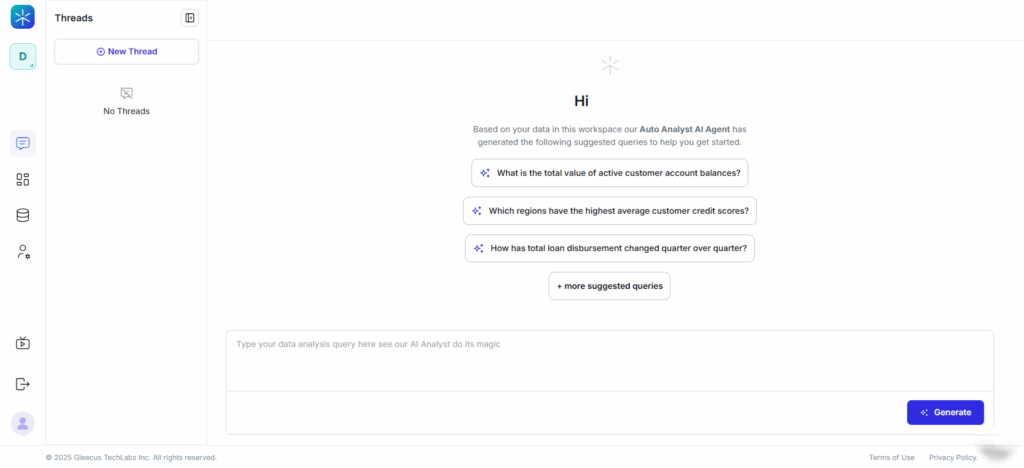
Follow these steps to use the Auto Analyst:
- Open your Workspace.
- Click Chats & Threads.
- Select New Thread.
- The Auto Analyst automatically appears and shows a list of recommended queries based on your data.
- Review the suggestions and select any query you want to explore.
- Click Generate to run the analysis.
What Happens Next?
After selecting a suggested query, Lumenn AI generates insights just like a manual natural-language prompt.
You will receive:
- A clear textual explanation of the insight
- A primary visualization based on the underlying data
- Additional alternative visualizations you can choose from
- Further suggested follow-up questions to dig deeper
This allows you to continue exploring confidently with guided recommendations.


