- From the left navigation panel, click Data Sources.
- Click Connect Data Source.
- Select Microsoft SQL Server
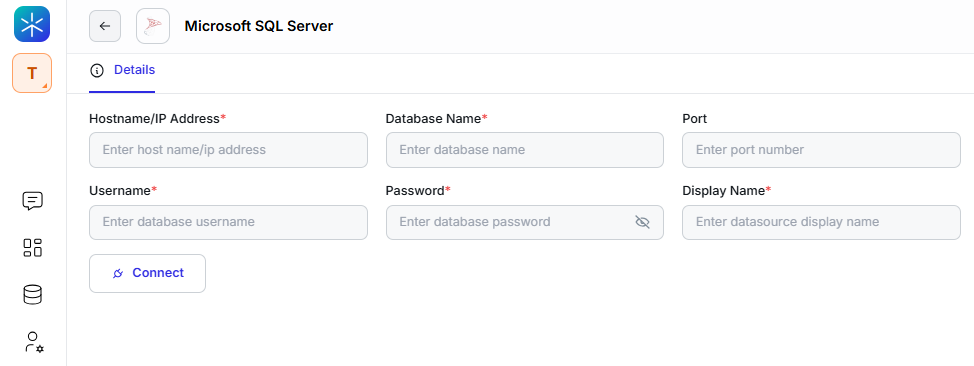
- Enter your connection details:
- Hostname / IP Address
- Database Name
- Port
- Username
- Password / Key
- Display Name (how it appears inside Lumenn AI)
- click Connect.
- Select the tables you want Lumenn AI to analyze.
- Click Save to complete the integration.